想摸魚嗎?先掌握這19個(gè) Css 技巧!

大家好,我是刷碗智,今天來(lái)摸魚了。
修改 placeholder 樣式,多行文本溢出,隱藏滾動(dòng)條,修改光標(biāo)顏色,水平和垂直居中。這些熟悉的場(chǎng)景啊! 前端開發(fā)者幾乎每天都會(huì)和它們打交道,這里有19個(gè)CSS技巧,讓我們一起來(lái)看看吧。
1、 解決 img 5px 間距的問(wèn)題
你是否經(jīng)常遇到圖片底部多出5px間距的問(wèn)題?不用急,這里有4種方法可以解決。
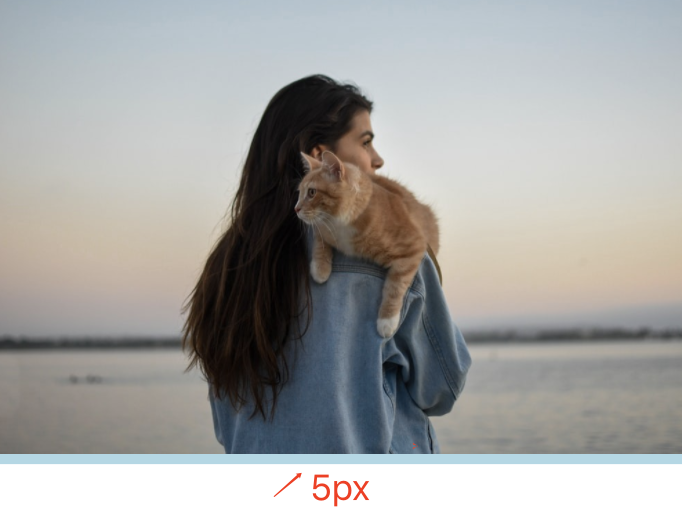
方案1:設(shè)置父元素字體大小為 0
關(guān)鍵代碼:
.img-container{
  font-size: 0;
}
事例地址:https://codepen.io/qianlong/pen/VwrzoyE。
方案2:將 img 元素設(shè)置為 display: block
關(guān)鍵代碼:
img{
  vertical-align: bottom;
}
事例地址:https://codepen.io/qianlong/pen/eYeGONM。
方案3:將 img 元素設(shè)置為 vertical-align: bottom
關(guān)鍵代碼:
img{
  vertical-align: bottom;
}
事例地址:https://codepen.io/qianlong/pen/jOaGNWw。
解決方案4:給父元素設(shè)置 line-height: 5px
關(guān)鍵代碼:
.img-container{
  line-height: 5px;
}
事例地址:https://codepen.io/qianlong/pen/PoOJYzN
2、元素的高度與 window 的高度相同
如何使元素與窗口一樣高?答案使用 height: 100vh。
事例地址:https://codepen.io/qianlong/pen/xxPXKXe。
3、 修改 input placeholder 樣式
關(guān)鍵代碼:
.placehoder-custom::input-placeholder {
color: #babbc1;
font-size: 12px;
}
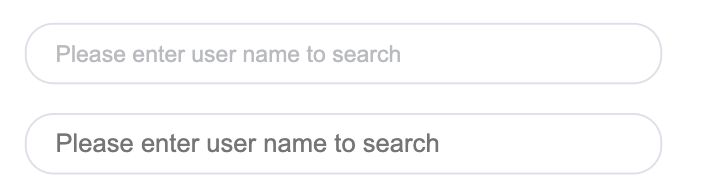
事例地址:https://codepen.io/qianlong/pen/JjOrPOq
4、 使用 :not 選擇器
除了最后一個(gè)元素外,所有元素都需要一些樣式,使用 not 選擇器非常容易做到。
如下圖所示:最后一個(gè)元素沒(méi)有底邊。
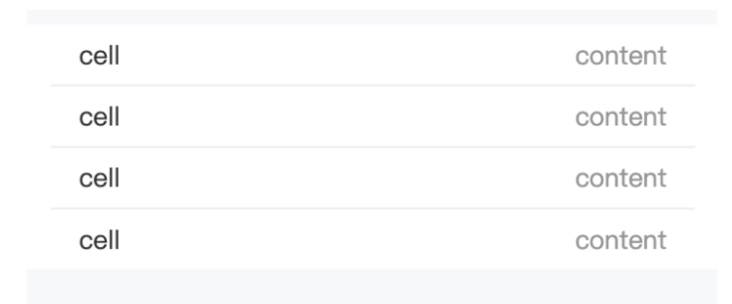
關(guān)鍵代碼
li:not(:last-child) {
  border-bottom: 1px solid #ebedf0;
}
事例地址:https://codepen.io/qianlong/pen/QWOqLQO。
5、使用 flex 布局將一個(gè)元素智能地固定在底部
當(dāng)內(nèi)容不夠時(shí),按鈕應(yīng)該在頁(yè)面的底部。當(dāng)有足夠的內(nèi)容時(shí),按鈕應(yīng)該跟隨內(nèi)容。當(dāng)你遇到類似的問(wèn)題時(shí),使用 flex 來(lái)實(shí)現(xiàn)智能的布局。

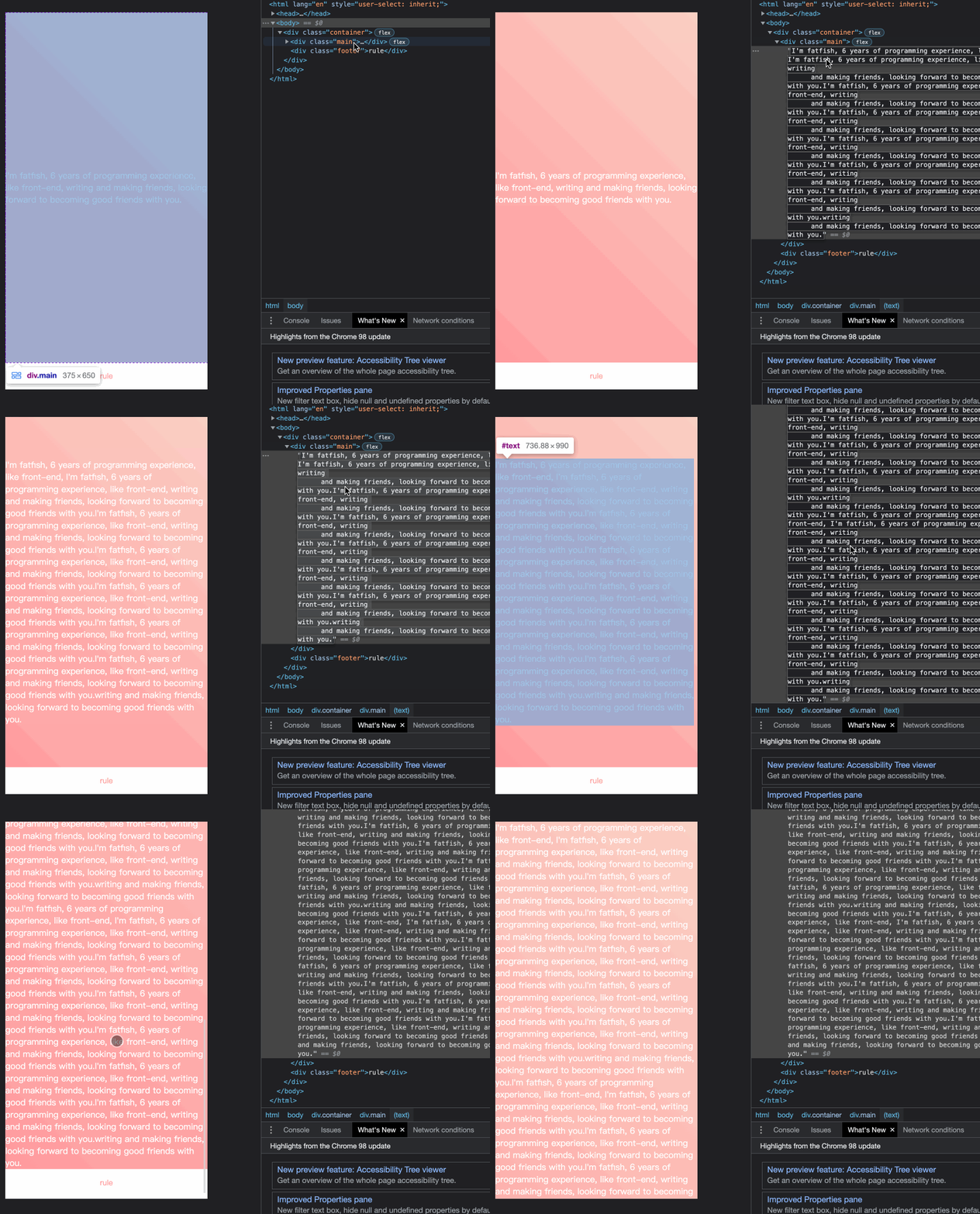
事例地址:https://codepen.io/qianlong/pen/ZEaXzxM。
6、使用 caret-color 來(lái)修改光標(biāo)的顏色
可以使用 caret-color 來(lái)修改光標(biāo)的顏色,如下所示:
caret-color: #ffd476;
事例地址:https://codepen.io/qianlong/pen/YzErKvy。
7、刪除 type="number" 末尾的箭頭
默認(rèn)情況下,在type="number"的末尾會(huì)出現(xiàn)一個(gè)小箭頭,但有時(shí)我們需要將其刪除。我們應(yīng)該怎么做呢?

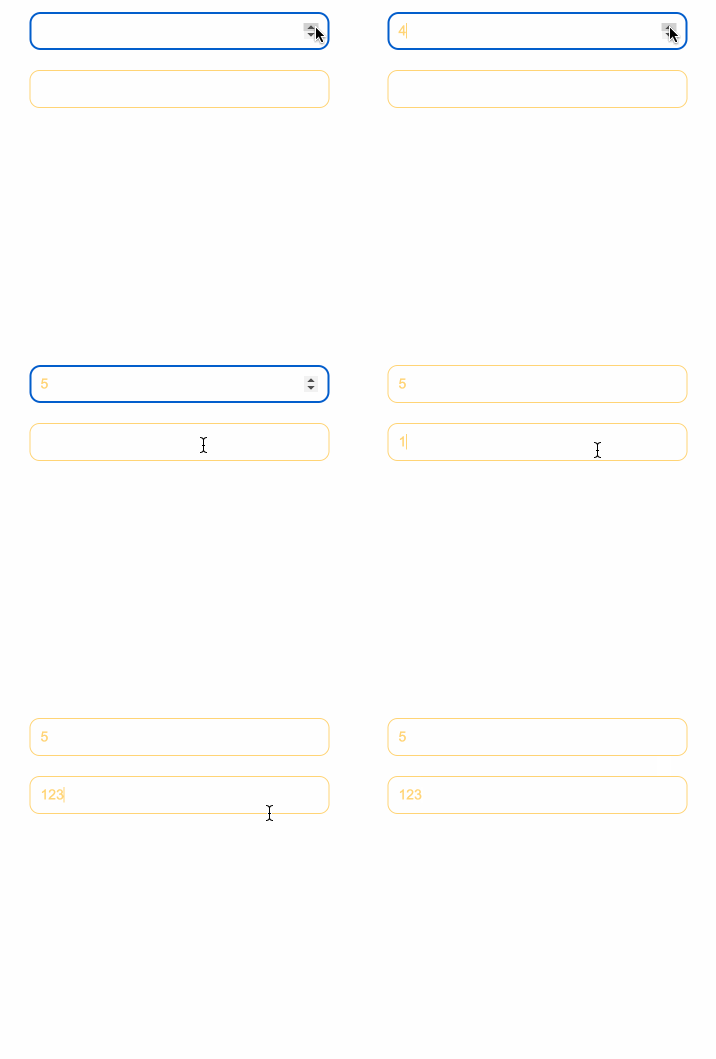
關(guān)鍵代碼:
.no-arrow::outer-spin-button,
.no-arrow::inner-spin-button {
appearance: none;
}
事例地址:https://codepen.io/qianlong/pen/OJOxLrg。
8、outline:none 刪除輸入狀態(tài)線
當(dāng)輸入框被選中時(shí),它默認(rèn)會(huì)有一條藍(lán)色的狀態(tài)線,可以通過(guò)使用 outline: none 來(lái)移除它。
如下圖所示:第二個(gè)輸入框被移除,第一個(gè)輸入框沒(méi)有被移除。


事件地址:https://codepen.io/qianlong/pen/YzErzKG。
9、 解決iOS滾動(dòng)條被卡住的問(wèn)題
在蘋果手機(jī)上,經(jīng)常發(fā)生元素在滾動(dòng)時(shí)被卡住的情況。這時(shí),可以使用如下的 CSS 來(lái)支持彈性滾動(dòng)。
body,html{
overflow-scrolling: touch;
}
10、 繪制三角形
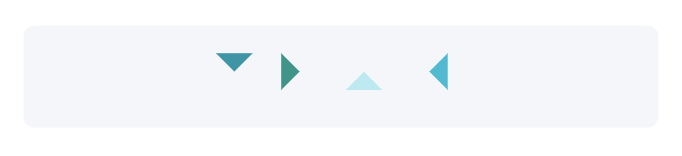
.box {
  padding: 15px;
  background-color: #f5f6f9;
  border-radius: 6px;
  display: flex;
  align-items: center;
  justify-content: center;
}
.triangle {
  display: inline-block;
  margin-right: 10px;
  /* Base Style */
  border: solid 10px transparent;
}
/*下*/
.triangle.bottom {
  border-top-color: #0097a7;
}
/*上*/
.triangle.top {
  border-bottom-color: #b2ebf2;
}
/*左*/
.triangle.left {
  border-right-color: #00bcd4;
}
/*右*/
.triangle.right {
  border-left-color: #009688;
}
事例地址:https://codepen.io/qianlong/pen/rNYGNRe。
11、 繪制小箭頭、

關(guān)鍵代碼:
.box {
  padding: 15px;
  background-color: #ffffff;
  border-radius: 6px;
  display: flex;
  align-items: center;
  justify-content: center;
}
.arrow {
  display: inline-block;
  margin-right: 10px;
  width: 0;
  height: 0;
  /* Base Style */
  border: 16px solid;
  border-color: transparent #cddc39 transparent transparent;
  position: relative;
}
.arrow::after {
  content: "";
  position: absolute;
  right: -20px;
  top: -16px;
  border: 16px solid;
  border-color: transparent #fff transparent transparent;
}
/*下*/
.arrow.bottom {
  transform: rotate(270deg);
}
/*上*/
.arrow.top {
  transform: rotate(90deg);
}
/*左*/
.arrow.left {
  transform: rotate(180deg);
}
/*右*/
.arrow.right {
  transform: rotate(0deg);
}
事例地址:https://codepen.io/qianlong/pen/ZEaXEEP。
12、 圖像適配窗口大小
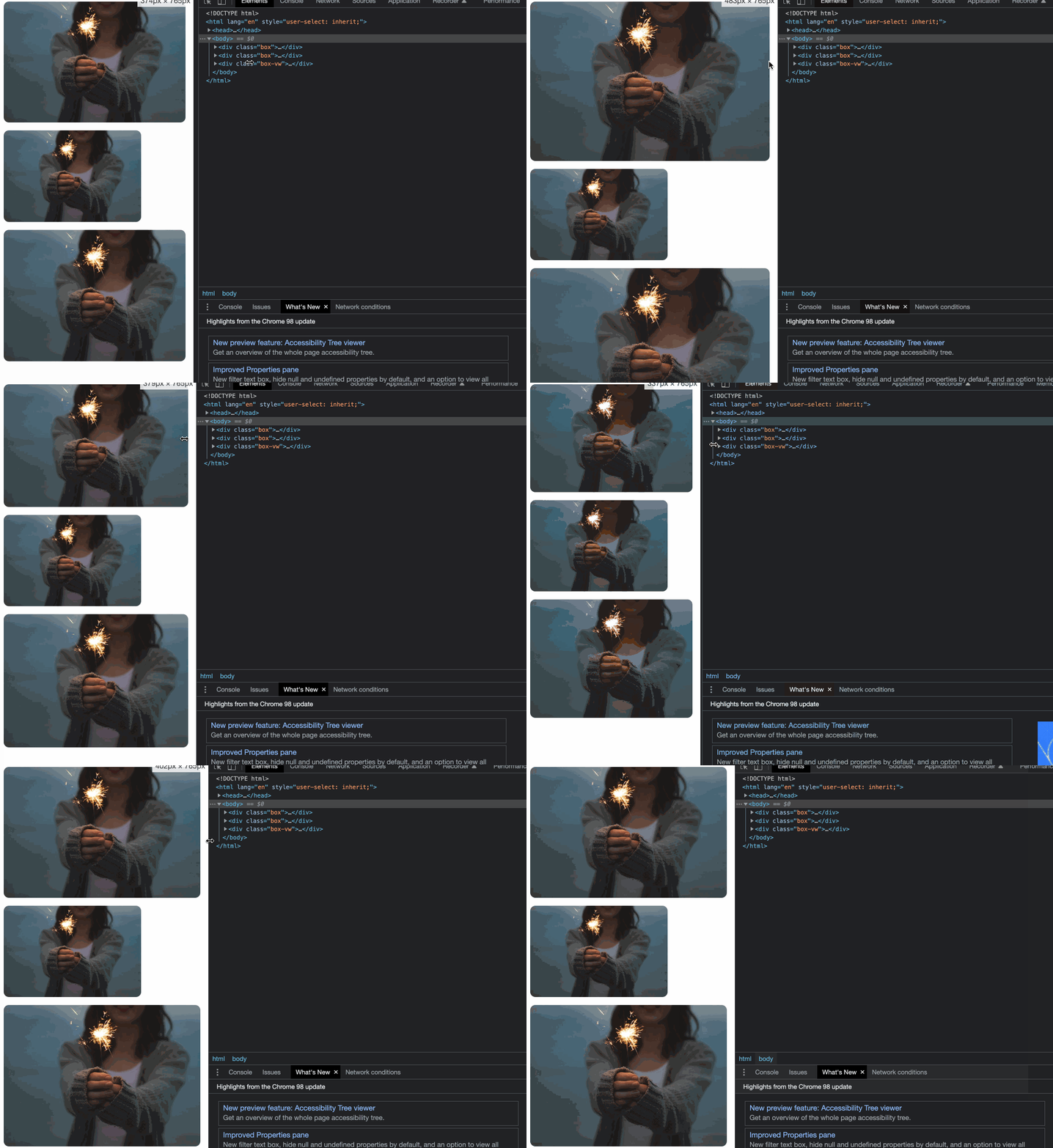 。
。
事例地址:https://codepen.io/qianlong/pen/PoOJoPO。
13、 隱藏滾動(dòng)條
第一個(gè)滾動(dòng)條是可見的,第二個(gè)滾動(dòng)條是隱藏的。這意味著容器可以被滾動(dòng),但滾動(dòng)條被隱藏起來(lái),就像它是透明的一樣。
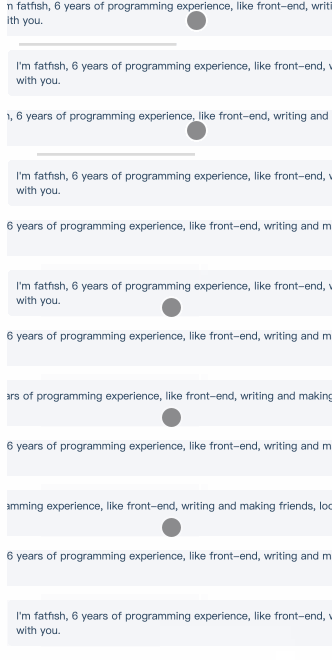
關(guān)鍵代碼:
.box-hide-scrollbar::scrollbar {
display: none; /* Chrome Safari */
}
事例地址:https://codepen.io/qianlong/pen/yLPzLeZ。
14、自定義選定的文本樣式
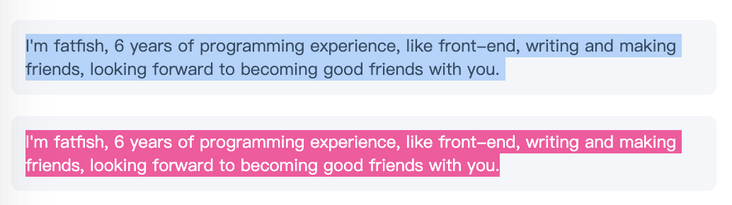
關(guān)鍵代碼:
.box-custom::selection {
  color: #ffffff;
  background-color: #ff4c9f;
}
事例地址:https://codepen.io/qianlong/pen/jOaGOVQ。
15、 不允許選擇文本

關(guān)鍵代碼:
.box p:last-child {
  user-select: none;
}
事例地址:https://codepen.io/qianlong/pen/rNYGNyB。
16、 將一個(gè)元素在水平和垂直方向上居中

關(guān)鍵代碼:
display: flex;
align-items: center;
justify-content: center;
事例地址:https://codepen.io/qianlong/pen/VwrMwWb。
17、單行文本溢出時(shí)顯示省略號(hào)

關(guān)鍵代碼:
  overflow: hidden;
  white-space: nowrap;
  text-overflow: ellipsis;
  max-width: 375px;
事例地址:https://codepen.io/qianlong/pen/vYWeYJJ。
18、 多行文本溢出時(shí)顯示省略號(hào)
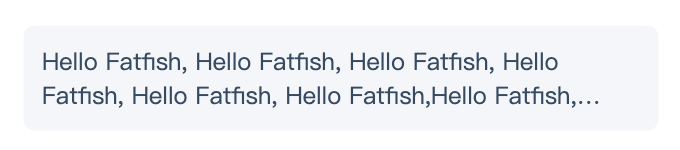
關(guān)鍵代碼:
overflow: hidden;
text-overflow: ellipsis;
display: box;
/* set n lines, including 1 */
line-clamp: 2;
box-orient: vertical;
事例地址:https://codepen.io/qianlong/pen/ZEaXEJg。
19、使用 "filter:grayscale(1)",使頁(yè)面處于灰色模式。
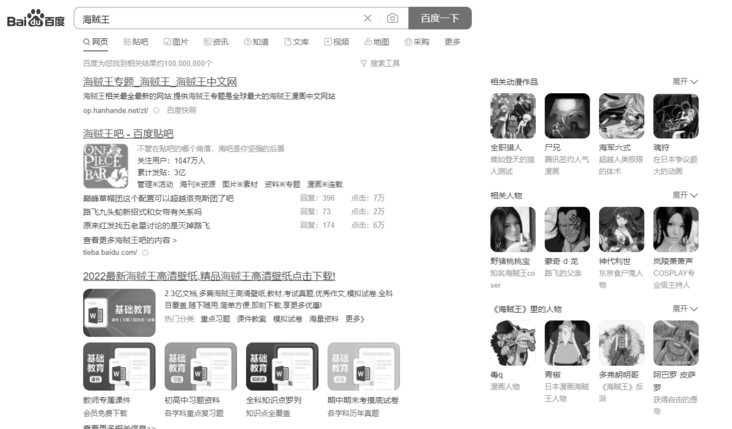
關(guān)鍵代碼:
body{
  filter: grayscale(1);
}
作者:Matt Maribojoc 譯者:前端小智
來(lái)源:stackabuse 原文:https://javascript.plainenglish.io/20-css-tips-and-tricks-to-make-you-a-better-developer-d80ae5c09617。